InstallKubeiQ
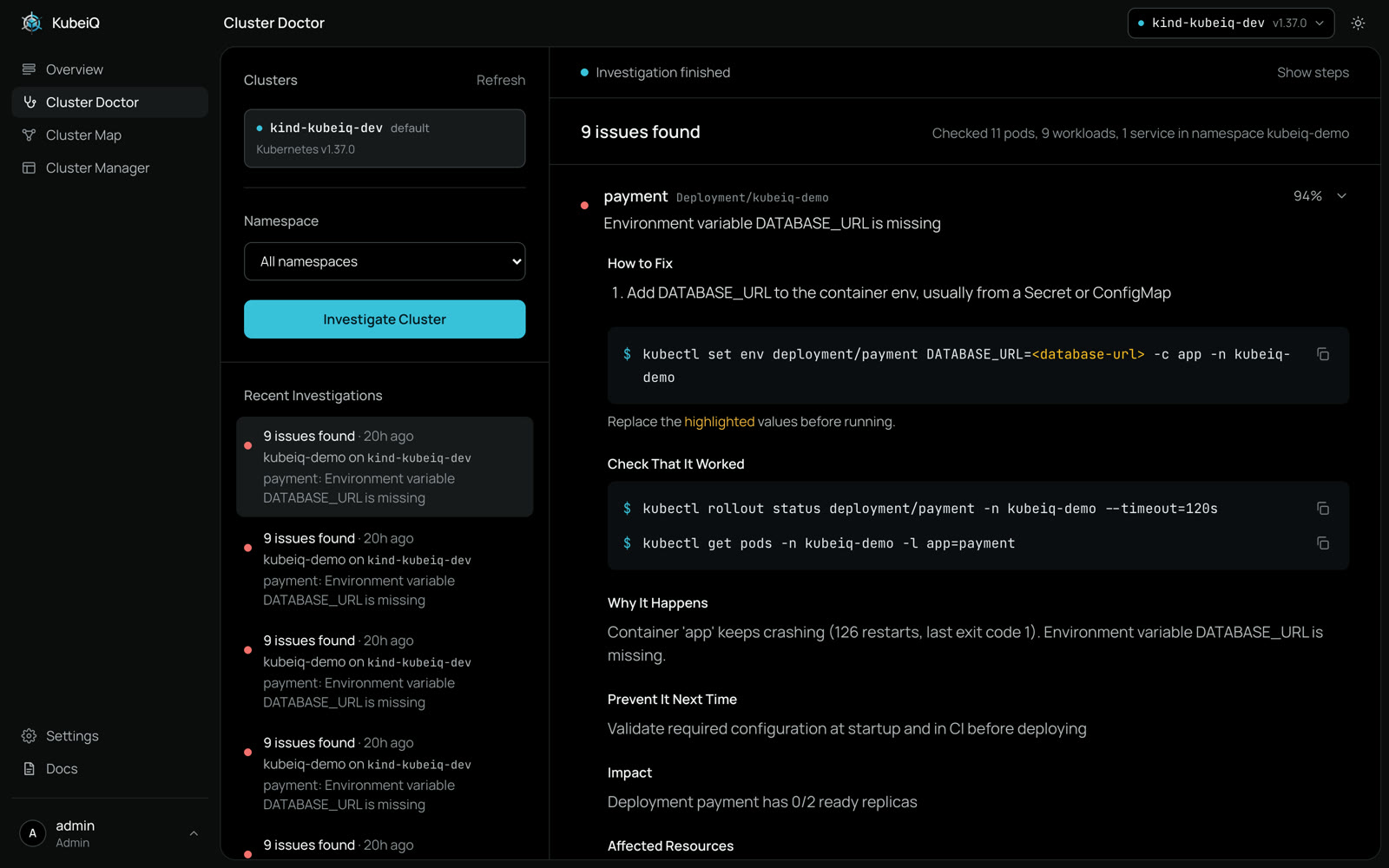
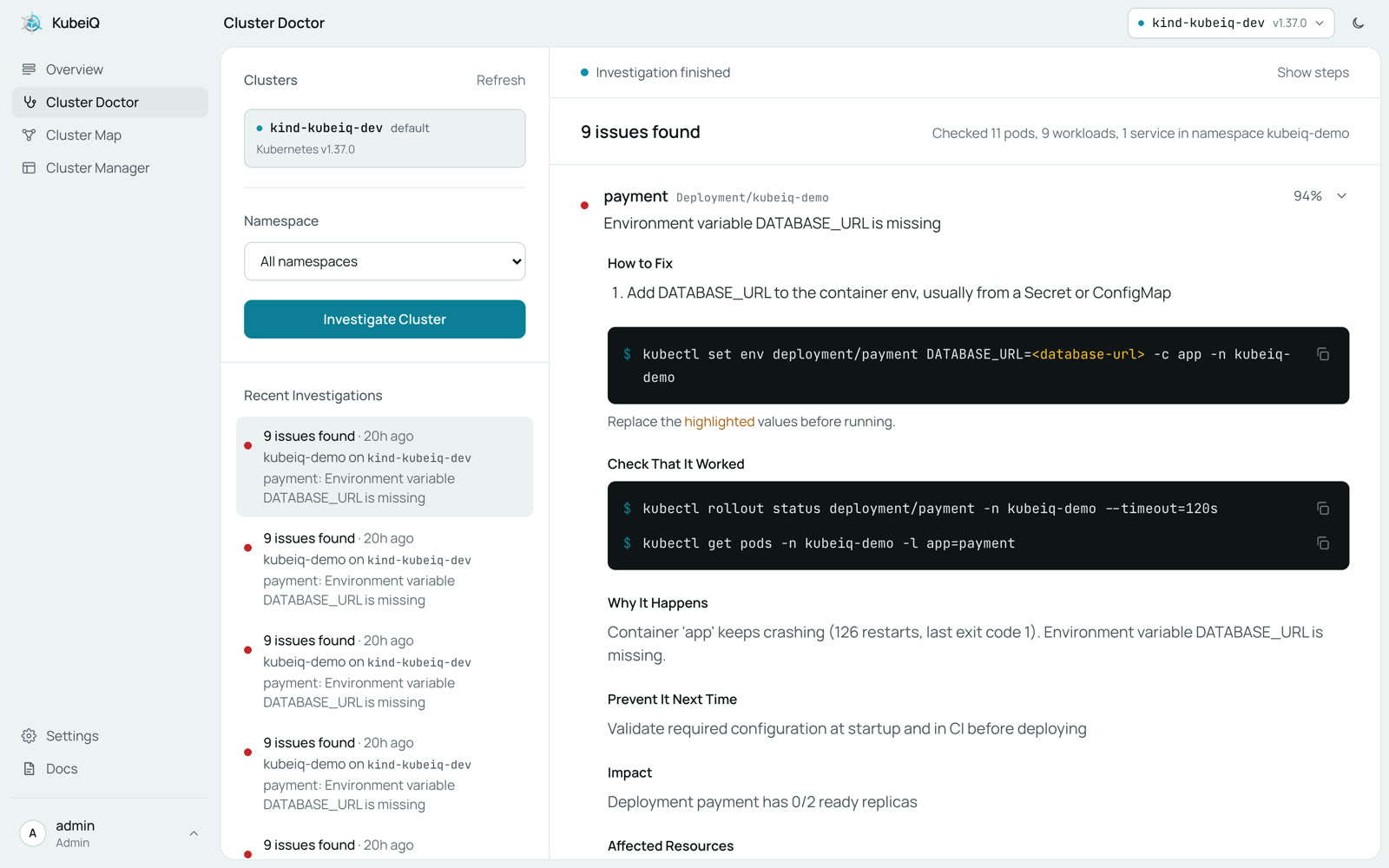
One command installs every KubeiQ product on your laptop or server
curl -fsSL https://raw.githubusercontent.com/Ahmedwagdymohy/KubeiQ/main/deploy/install.sh | sh
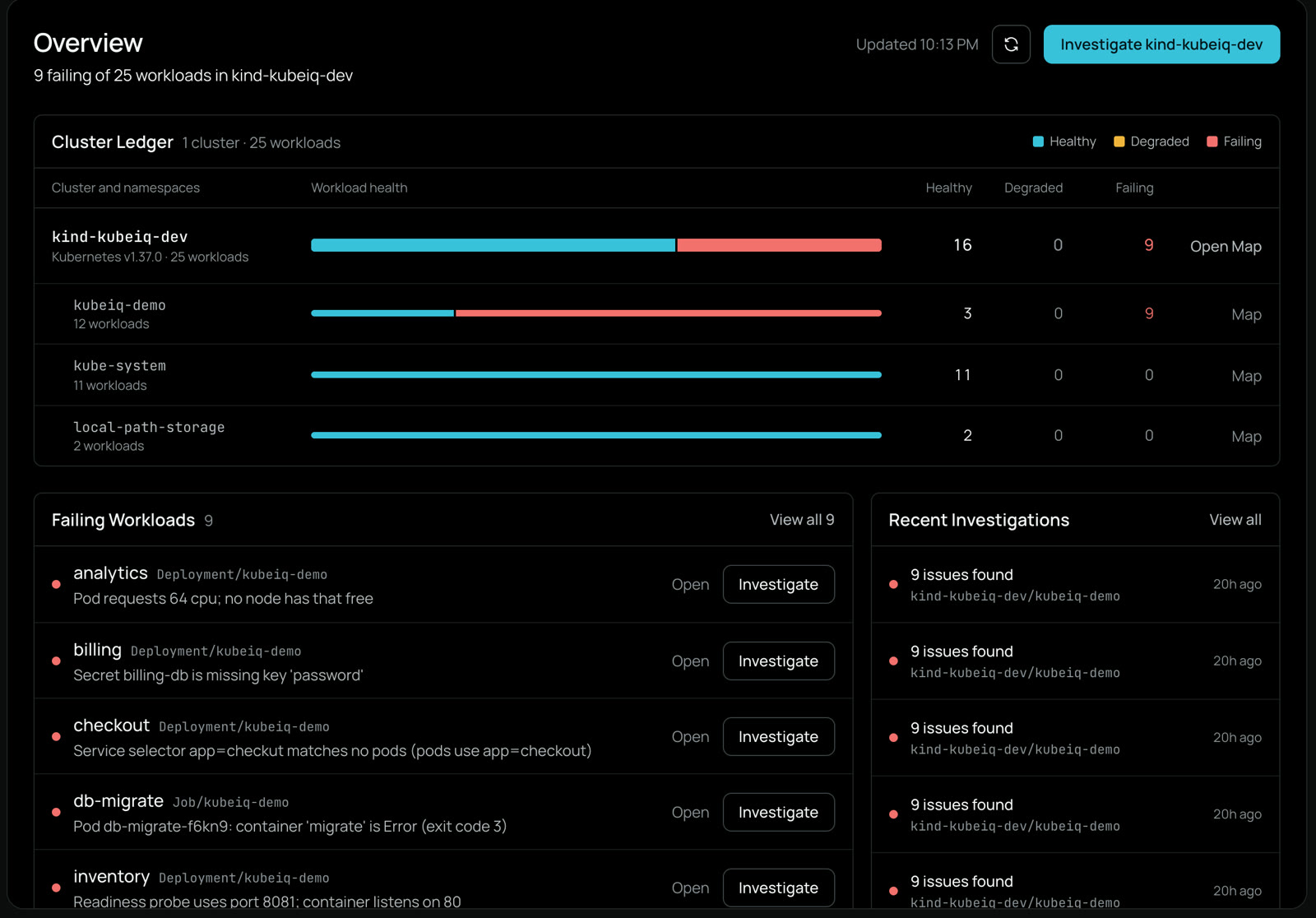
Five steps to this Overview, the same on a laptop or a server
Check the Requirements
- Docker with Compose v2, running
- git
- A kubeconfig at
~/.kube/configwith access to your clusters. KubeiQ only needs read access
Run the Installer
curl -fsSL https://raw.githubusercontent.com/Ahmedwagdymohy/KubeiQ/main/deploy/install.sh | sh
It downloads KubeiQ to
~/kubeiq, builds it and starts it with Docker Compose. The first run takes a few minutes.Port 3000 already in use? Choose another one:
export KUBEIQ_FRONTEND_PORT=3001curl -fsSL https://raw.githubusercontent.com/Ahmedwagdymohy/KubeiQ/main/deploy/install.sh | sh
Open KubeiQ
Go to
http://localhost:3000and sign in asadminwith the master key the installer prints. Open Cluster Doctor, pick a cluster and a namespace, and start a scan.Add an AI Model
Optional. Without a model, KubeiQ still finds known failures and gives you the fix. With one, it also investigates the unclear cases. Add it in Settings, or set it in
~/kubeiq/backend/.env, for example:KUBEIQ_LLM_MODEL=openai/gpt-4.1KUBEIQ_LLM_API_KEY=<your-api-key>
Then apply it:
cd ~/kubeiq && docker compose up -d
Anthropic, OpenRouter, Azure, Bedrock, Gemini, Ollama and LiteLLM proxies work too. The file lists an example for each.
Update or Remove
To update, run the installer again. To stop KubeiQ:
cd ~/kubeiq && docker compose down
Install Manually
Prefer to see every step? The installer runs exactly this:
git clone https://github.com/Ahmedwagdymohy/KubeiQ.git ~/kubeiqcd ~/kubeiq && cp backend/.env.example backend/.envdocker compose up --build -d
Kubernetes
A Helm chart and an in-cluster agent for private clusters are on the way. Follow the docs for updates.